

How to Convert Image to PDF Online: A Complete Beginner’s Guide
For example you have an image or photo, a scanned receipt, or an image and you need it in PDF format. Learning to convert images documents to pdf online is simple, free, and takes just a few clicks. Whether it’s for sharing, keeping, or printing, this guide will walk you through it Stage by stage
Why Convert Image to PDF?
Converting an image to PDF has a bundle of advantages:- PDF is a worldwide format—works across Windows, Android, iOS.
- Keeps layout and quality whole for printing or emailing.
- Supports multi‑page documents.
- Easy to password‑protect for security.
How to Convert Image to PDF Online Using pdftoolnest
At pdftoolnest, users have a handy convert image to pdf online feature built right into the site: pdftoolnest.com /image‑to‑pdf Here’s how it works:- Visit pdftoolnest and choose “Image to PDF”.
- Upload your images – JPG, PNG, TIFF, BMP are all supported.
- Adjust order if you have multiple.
- Click “Create PDF” and download your file.
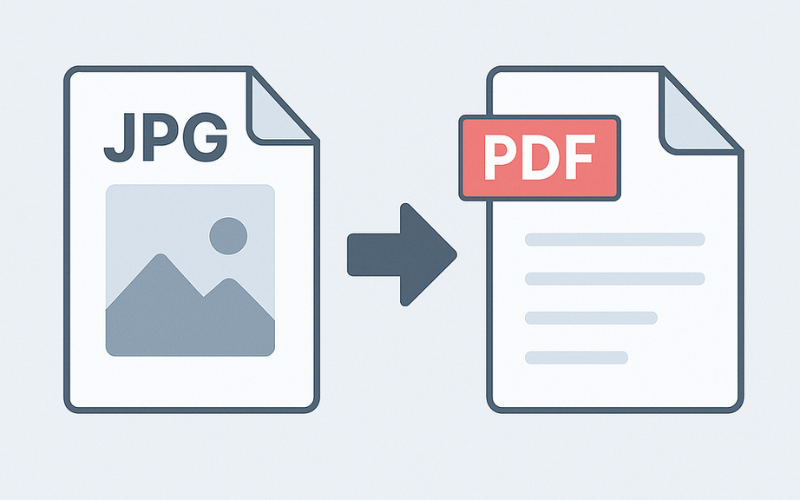
Other Tools to Convert Image to PDF Online
If you’d like to compare tools or need alternatives, here are a few reputable online converters:- Smallpdf offers a tool to convert JPG to PDF. See their help page here for guidance.
- ILovePDF also includes image‑to‑PDF conversion in their suite of online tools.
- PDF24 Tools is a free platform that lets you upload images, reorder, and convert in the browser.
When You Should Convert Image to PDF Online
Situations where converting images to PDF online is useful:- Sending scanned documents to work/clients.
- Archiving receipts or photos in PDF format.
- Combining multiple photos into a single file.
- Preparing images for printing or offline use.
What Happens Behind the Scenes
Here’s what happens when you convert image to pdf online via a site like pdftoolnest:- The image is uploaded to the server.
- Server software processes the image and encodes it into PDF pages.
- If multiple images, they become multiple pages in one PDF.
- The PDF is generated and your browser downloads the file.
Step‑by‑Step: Convert Image to PDF Online
1. Open Your Browser
Head to pdftoolnest.com and select the “Image to PDF” tool.2. Upload Image Files
Click “Upload image”, then choose file(s). You can upload JPG, PNG, BMP, TIFF. You can do multiple images too.3. Arrange Order
Move to arrange the images in the order you want them to Appear in the PDF. If you only have single image, skip this step.4. Convert
Click “Convert to PDF” or “Create PDF”. You’ll see progress and then a download link.5. Download
Click “Download PDF”. Your file is now ready to view, send, or print.Compare: pdftoolnest vs Other Image‑to‑PDF Tools
| Feature | pdftoolnest | Smallpdf / ILovePDF / PDF24 |
| Convert image to PDF online | Yes, built in | Yes |
| Multiple image upload? | ✔ Yes | ✔ Yes |
| Free to use | ✔ Yes | Free tier or limited access |
| No registration | ✔ Yes | May require signup |
| Browser-based | ✔ Yes | ✔ Yes |
| Privacy policy | Uploaded files auto-deleted (see policy) | Varies by service |

Common Questions About Convert Image to PDF Online
Q: Is it safe to upload images to online tools? A: pdftoolnest processes and then deletes your files automatically. For sensitive documents, check the privacy policy. Q: Can I use this on mobile? A: Yes—just open pdftoolnest.com on your phone’s browser and use the same steps. Q: Are there limits on file size? A: Most tools accept images up to several megabytes. If yours is huge, resize it first. Q: What image formats are enabled? A: JPG, JPEG, PNG are commonly accepted.How to Convert Image to PDF Online for Free Without Installing Anything
The biggest advantage of learning to convert image to pdf online is you don’t need to install software. Without Photoshop, Acrobat, or desktop apps needed. All you need is internet Connect to and a browser whether on your laptop, tablet, or phone.Use Cases & Real‑World Examples
1. Scanning Receipts After Shopping
Take photos of receipts, upload, convert image to PDF online with pdftoolnest, then save them or email to your accountant.2. Saving Printed Photos to Digital Form
Scan printed photos or take a snapshot, convert image to PDF online so they’re preserved as high‑quality PDFs.3. Sending Multi‑page Contracts or Forms
Scan multiple pages as images, convert them into a single PDF using image‑to‑PDF online. Recipients see one file instead of several JPEGs.- Smallpdf’s image to PDF tool
- ILovePDF image to PDF page
Accessibility & Compatibility
Nearly everyone can convert image to pdf online using any modern browser—Chrome, Firefox, Edge, Safari. It works on Windows, Android and iOS. The interface on pdftoolnest is clean and responsive, perfect for desktop or mobile.
FAQs About Convert Image to PDF Online
Q: Can I password‑protect the PDF? A: Some tools offer that. pdftoolnest may have a separate feature to add password protection; check their site. Q: Does image resolution matter? A: Higher resolution gives better quality. But large images take longer to upload. For everyday use, something around 2–5 MB is fine. Q: Will text in images be searchable? A: Not unless OCR (optical character recognition) is applied. Converting a JPG to PDF doesn’t make text selectable unless OCR is used. pdftoolnest currently does basic conversion—you’d need a separate OCR tool for searchable PDFs.You Might Like
If you enjoy this guide to convert image to pdf online, check out these related posts:- How to Compress PDF Without Losing Quality (internal link)
- Merge PDF Files into One Document Online (internal link)
- Convert Word to PDF Online – Step‑by‑Step Guide (internal link)
Step‑by‑Step Recap
- Visit pdftoolnest.com and select “Image to PDF”.
- Upload one or more image files.
- Arrange their order if needed.
- Click “Convert/Create PDF”.
- Download your PDF file instantly.