

How to Merge Multiple PDFs Free The Complete Beginner’s Guide 2025 Edition
In today’s digital era, PDFs are Anywhere invoices, eBooks, forms, contracts, school projects, and more. But what happens when you need to combine several of them into one file? That’s where this guide comes in. If you’re looking for how to merge multiple PDFs free, you’re in the suitable location. This guide walks you through quick, safe, and free ways to merge multiple PDF, even if you have zero technical skill. Even if you’re a student, business owner, freelancer, or just someone who wants cleaner files, you’ll learn everything step by step.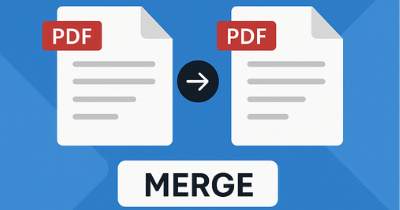
Table of Contents
- What is the meaning of Merge Multiple PDFs?
- Why People Merge PDFs – Real-Life Use Cases
- Best Tool to Merge Multiple PDFs Free – PDFToolNest
- Step-by-Step: How to Merge Multiple PDFs Free Using PDFToolNest.com
- Top 5 Alternative Tools to Merge Multiple PDFs Online Free
- How to Merge PDF on Windows Without Online Tools
- Does it Safe to Merge PDF Files Online?
- Common Issues When Merging PDF And How to Avoid Them
- Steps to organize, Compress & Edit Merged PDF Files
- FAQs
- Final Points
✅ 1. What Does It Mean to Merge Multiple PDF?
Merging PDF means combining two or more Single PDF files into a single, Ongoing file. It keeps all the original content but in one convenient document. This is especially helpful when you’re handling:- Monthly reports
- Multiple chapters of eBooks
- Scanned notes
- Application forms
✅ 2. Why People Merge PDFs – Real-Life Use Cases
Let’s explore a few practical scenarios where people need to merge multiple PDFs free:- Students – Combine assignments, scanned handwritten notes, or eBook chapters
- Professionals – Merge invoices, contracts, and reports
- HR Departments – Combine employee documents
- Legal Teams – Merge evidence files, witness statements
- Freelancers – Combine portfolios, project results

✅ 3. Best Tool to Merge Multiple PDFs Free – PDFToolNest
When it comes to merging PDFs online easily and for free, the top recommendation is PDFToolNest.com. Why? ✅ 100% Free ✅ No watermarks ✅ Drag-and-drop interface ✅ Fast, secure, and mobile-friendly ✅ Beginner-friendly with no sign-up required 🔗 Try it now: Merge PDF – PDFToolNest✅ 4. How to Merge Multiple PDFs Free Using PDFToolNest.com
Here’s how to combine your PDF files in under 1 minute:Step 1: Go to PDFToolNest Merge PDF Tool
Use any device — computer, tablet, or mobile.Step 2: Upload Your Documents
Click on “Choose Files” or drag & drop multiple PDF you want to merge.Step 3: Arrange PDF Order
Rearrange the uploaded files to your preferred order.Step 4: Click “Merge PDF”
The tool will process your files instantly.Step 5: Download Your Merged File
Click on the download button and save the combined PDF to your device. Yes — it’s that easy to merge multiple PDFs free! Also check out Compress PDF and Split PDF if you want to reduce size or break files.✅ 5. Top 5 Alternative Tools to Merge Multiple PDFs Online Free
Here are other popular tools that let you merge multiple PDFs free with decent quality:- Smallpdf – Easy and intuitive
- PDF24 Tools – Free and unlimited
- iLovePDF – Offers compression too
- PDFCandy – Great for batch processing
- Sejda PDF – Simple with page preview
✅ 6. How to Merge PDF on Windows Without Online Tools
If you prefer offline solutions:💻 On Windows:
- Use Microsoft Print to PDF (combine via Print dialog)
- Or download PDFsam Basic (free & open source)
🍎 On Mac:
- Open multiple PDFs in Preview
- Drag files into sidebar
- File > Export as PDF
✅ 7. Is It Safe to Merge PDF Documents Online?
Yes, but only if you use trusted or safe platforms. Always choose tools like:- PDFToolNest.com – No data saved, instant deletion
- iLovePDF – GDPR compliant
- Sejda – Files auto-deleted in 2 hours
✅ 8. Common Mistakes When Merging PDF And How to Avoid Them
If you’re merging for the first time, skip these errors: 🚫 Uploading in the wrong order ✅ Rearrange files before merging 🚫 Using low-quality tools ✅ Use safe, high-quality sites like PDFToolNest 🚫 Uploading confidential documents on unknown sites ✅ Use trusted and encrypted tools only✅ 9. Steps to organize, Compress & Edit Merged PDF Files
After you merge multiple PDFs free, keep them clean and professional:- Use Compress PDF to Lower file size
- Use free PDF readers like Foxit Reader or Adobe Acrobat Reader to Add notes
- Rename the final file correctly— Job_Application_PDF_2025.pdf
